Best Free Text to Handwriting Converter (2026 Comparison)
Searching for the best free text to handwriting converter usually turns up a long list of tools that all claim to be the best. Most of them aren’t actually comparable on a single spec sheet, because they’re built for different jobs.
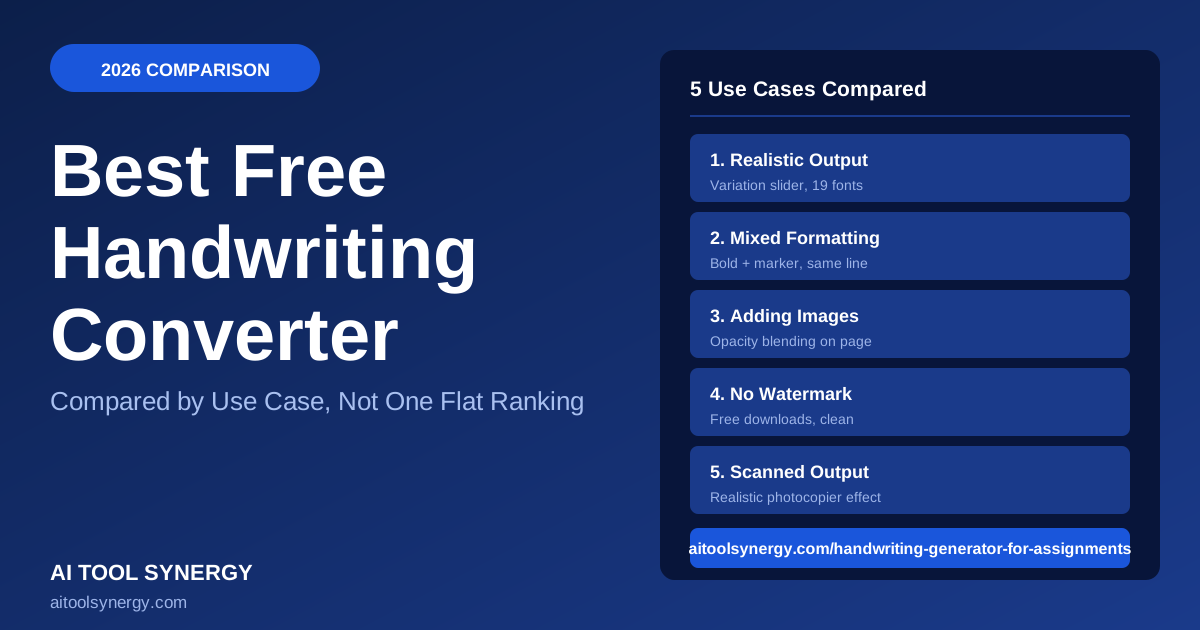
So instead of one flat ranking, this guide breaks the best free text to handwriting converter down by what you’re actually trying to do — realistic output, mixed formatting, adding images, watermark-free downloads, or scanned-style PDFs. Pick the use case that matches your need.
What Makes a Text to Handwriting Converter “the Best”?
“Best” depends entirely on what you need it for. A tool that’s great for quick personal notes might be the wrong choice for a polished study guide with mixed formatting.
Five factors matter most: realism, formatting flexibility, image support, watermark-free downloads, and output file type.
Usability research from groups like Nielsen Norman Group consistently shows free tools win on real usage when they’re fast with no signup friction. That’s a useful lens for judging any “best free tool” claim. We’ll go through each factor below.
Best Free Text to Handwriting Converter for Realistic Output
Realism comes down to one thing more than any other: whether the tool applies natural variation to letter position and rotation, instead of stamping out identical letters every time.
Our free generator includes a built-in variation slider across 19 fonts, so you can tune realism up or down for the best free text to handwriting converter result.
Google Fonts’ own guidance on handwriting typefaces notes that font choice alone rarely produces a convincing result without supporting variation. Many free competitors offer a smaller font selection with no variation control at all.
Best Free Text to Handwriting Converter for Mixed Formatting
If you need headings, bold emphasis, and a marker-style highlight all in the same line of text, very few free tools actually support that. Most offer only a single uniform style per page.
Our tool lets you select any portion of text and switch it to heading, marker, bold, or normal style — all within the same line, on our free generator. That’s genuinely uncommon among free converters, most of which only offer separate heading and body text fields.
Best Free Text to Handwriting Converter for Adding Images
Some notes need a diagram, chart, or photo sitting right next to the handwritten text. Few free converters support image uploads at all.
Our generator lets you upload up to three images per page with an adjustable opacity slider, so a diagram can sit naturally alongside your converted text. This is one of the more requested features we get, and most competitors simply don’t offer it on their free tier.
Best Free Text to Handwriting Converter for No Watermark Downloads
A surprising number of “free” handwriting converters stamp a watermark across your download unless you upgrade to a paid plan. Always check this before relying on a tool for anything you plan to print or submit.
Our downloads — both clean PNG and scanned PNG — never carry a watermark on our tool, and there’s no signup gate hiding that feature behind a paywall.
Best Free Text to Handwriting Converter for PDF-Style Output
If you want your converted text to look like a physical scanned page rather than a crisp digital image, you need a tool with a dedicated scan-effect filter, not just a plain PNG export.
Our scanned PNG option applies a realistic photocopier-style effect — slight yellow tint, contrast boost, grain, and vignette — which most free converters don’t offer at all. Practical Typography is a useful reference if you want to understand why texture and imperfection read as more authentic than a flawless digital render.
Free vs Paid Text to Handwriting Tools — Is Paid Worth It?
Before paying for any tool, it’s worth confirming whether a best free text to handwriting converter already covers your need.
- No cost, no signup in most cases
- Font selection varies widely by tool
- Watermark-free options exist but aren’t universal
- Good enough for the vast majority of use cases
- Sometimes add custom font upload
- May offer batch processing for many pages at once
- Rarely necessary for single-page or occasional use
- Worth it mainly for high-volume, professional use
For nearly everyone, a quality free tool covers the need. Paid tiers mostly matter for bulk or commercial use, not everyday notes or study guides.
How We Compared These Tools
We evaluated each use case based on features actually available on the free tier — not marketing claims. Realism was judged by whether variation controls exist. Formatting flexibility was judged by whether mixed styles are possible in one line.
Image support, watermarks, and output format were checked directly against each tool’s free download. For broader software comparisons, review aggregators like G2 and Trustpilot are worth checking for user-reported issues like hidden paywalls that a feature list alone won’t reveal.
We built and maintain the tool we recommend most in this comparison. We’ve tried to keep feature claims here factual and checkable rather than promotional — you can verify every claim about our tool directly by trying it free.
Quick Comparison Table: Best Free Text to Handwriting Converters
| Use Case | What to Look For | Why It Matters |
|---|---|---|
| Realistic output | Variation slider or randomization control | Prevents mechanically uniform letters |
| Mixed formatting | Inline style switching (bold/marker/heading) | Rare on free tiers — most offer one style only |
| Adding images | Image upload with opacity control | Lets diagrams sit alongside handwritten text |
| No watermark | Clean download on the free tier | Many “free” tools gate this behind payment |
| Scanned-style output | Dedicated scan-effect filter | Looks like a physical page, not a flat PNG |
Common Mistakes When Choosing a Text to Handwriting Converter
These mistakes come up often when people search for the best free text to handwriting converter:
- Picking the first result without checking for a watermark. Always generate a test page before committing to a tool for something you’ll actually use.
- Ignoring variation settings entirely. A tool with great fonts but no variation control will still look flat and obviously generated.
- Assuming all free tools support image uploads. Many don’t — check before you build a page around a diagram or photo.
- Not checking output format options. If you need a scanned look, confirm the tool actually offers one rather than just a plain PNG.
Generate one short test page on any tool you’re considering before committing. It takes thirty seconds and immediately reveals watermarks, font quality, and whether variation is actually applied.