YouTube Thumbnail Size Guide: The Right Dimensions for Every Placement
Most articles calling themselves a YouTube thumbnail size guide give you one number and stop there. That’s not actually enough, because the same uploaded image gets displayed at wildly different sizes depending on where a viewer encounters it — a mobile search result, a suggested-videos sidebar, a home feed card, and a Shorts shelf all crop and scale your thumbnail differently, per YouTube’s own thumbnails resource documentation, which confirms multiple distinct sizes are stored for every video. This YouTube thumbnail size guide is organized by placement specifically, so you know not just what to upload, but what actually survives each context. You can check exactly which sizes exist for any specific video using our Thumbnail Downloader as you read through this.
YouTube Thumbnail Size Guide: The Right Dimensions for Every Placement
There are really only two upload specs to know — one for standard videos, one for Shorts — but a proper YouTube thumbnail size guide also has to explain what happens to that image after upload, since YouTube resizes and crops it differently depending on the surface it’s shown on.
The Two Real Upload Sizes: Standard Video vs. Shorts
| Content type | Recommended size | Aspect ratio | Max file size |
|---|---|---|---|
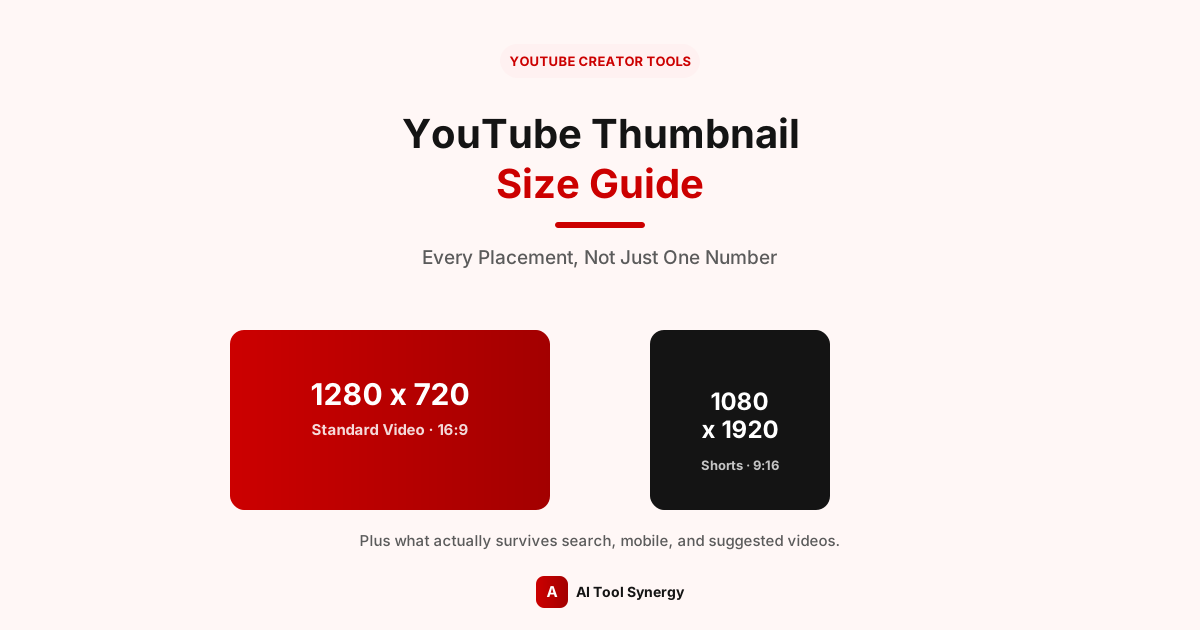
| Standard video | 1280 × 720 px | 16:9 | 2 MB |
| YouTube Shorts | 1080 × 1920 px | 9:16 | 2 MB |
Per YouTube’s own official custom thumbnail guidance, standard videos use 1280×720 at a 16:9 ratio, with JPG, GIF, or PNG accepted up to 2MB. Shorts use the vertical 9:16 orientation instead, matching the vertical video format itself — this is the detail that trips up a lot of guides.
Clearing Up the Shorts Thumbnail Size Confusion
Search around and you’ll find a real, documented disagreement across YouTube thumbnail size guide articles: some list 1920×1080 for Shorts, others list 1080×1920. The confusion comes from mixing up the video spec with the thumbnail spec — 1920×1080 landscape is a valid resolution for other contexts, but a Shorts thumbnail specifically should be 1080×1920, vertical, matching the 9:16 frame the Shorts player actually uses. If your Shorts thumbnail is landscape, YouTube will crop or letterbox it awkwardly on the vertical surfaces where Shorts actually appear.
Check Any Video’s Real Thumbnail Sizes
See exactly which sizes YouTube generated for any video or Short — no guessing required.
Check a Video FreePlacement 1: Search Results
In search results, thumbnails display relatively large on desktop but shrink significantly on mobile, where most searches actually happen. This is one of the smallest real-world display sizes your thumbnail needs to survive — text that reads fine at full size can disappear entirely here. Any complete YouTube thumbnail size guide has to account for this shrink-down, not just the upload dimensions.
Placement 2: Suggested / Sidebar Videos
The suggested videos sidebar next to an open video displays thumbnails at a compact size, generally smaller than the home feed cards. Since viewers are already watching something else, competition for attention here is intense in a tiny space — bold, simple designs consistently outperform detailed ones at this size.
Placement 3: Mobile Home Feed and Search Suggestions
Mobile is where a properly sized thumbnail matters most, since YouTube’s own upload encoding guidance confirms the platform generates multiple resolution variants from your original upload — and the smallest of those, roughly 120 pixels wide, is what appears in compact mobile search suggestions. A thumbnail that only looks good at full size is genuinely failing at this size, which is one of the most common real-world placements it’s actually seen at.
Placement 4: The Shorts Shelf and Feed
Shorts thumbnails appear full-screen vertically in the Shorts feed itself, but also show up as small vertical cards on a creator’s channel page and in the Shorts shelf on the home feed. Keep essential content — a face, key text — centered in the frame, since the top and bottom edges of a vertical thumbnail are the most likely to get cropped differently across these different vertical surfaces.
Build Thumbnails at the Right Size From the Start
Resize any image to the exact dimensions YouTube actually needs, for videos or Shorts.
Try the Banner & Thumbnail ResizerThe Safe Zone: What Survives Every Placement
Because the same thumbnail gets cropped differently across all of these placements, keeping critical content — your subject’s face, any text — within the central safe area of the frame is the single most reliable way to make sure your design survives everywhere. This matters for compliance too: YouTube’s own thumbnails policy evaluates what’s actually visible and prominent in a thumbnail, so content that gets awkwardly cropped can end up misrepresenting your video in ways you didn’t intend. Avoid placing anything essential near the very edges of a standard 1280×720 thumbnail, or the top and bottom of a vertical 1080×1920 Shorts thumbnail; those are the regions most likely to be trimmed on at least one of the placements covered in this YouTube thumbnail size guide. If you’re ever unsure whether your current thumbnail respects this, check it directly with the Thumbnail Downloader to see the real, uncropped file.
How to Check What Size Your Current Thumbnail Actually Is
Rather than assuming your existing thumbnails match this YouTube thumbnail size guide, it’s worth checking directly — older uploads in particular can be sitting at a smaller size than you’d expect. Paste any video into our Thumbnail Downloader and it shows every resolution YouTube actually generated for that specific video, with the real pixel dimensions labeled on each one, so you can confirm exactly what’s live rather than guessing based on what you originally uploaded.
Quick Reference: Every Size in One Place
| Where it’s used | What to know |
|---|---|
| Upload (standard video) | 1280×720, 16:9, up to 2MB |
| Upload (Shorts) | 1080×1920, 9:16, up to 2MB |
| Search results (mobile) | Displayed small — test legibility at this size |
| Suggested/sidebar | Compact — bold, simple designs win here |
| Mobile search suggestions | As small as ~120px wide |
| Shorts shelf/feed | Vertical, keep content centered |
FAQ: YouTube Thumbnail Size Guide
1280×720 pixels at a 16:9 aspect ratio, up to 2MB, in JPG, GIF, or PNG format — this is the core number any YouTube thumbnail size guide should start with.
1080×1920 pixels, vertical 9:16 — not the 1920×1080 landscape figure some guides mistakenly list, which is actually a video spec, not a thumbnail spec.
YouTube generates and crops multiple size variants from your one uploaded image, and different placements — search, suggested, mobile, Shorts — display different versions of it. That’s exactly why a real YouTube thumbnail size guide needs to cover placement, not just the upload spec.
Roughly 120 pixels wide, which is how small thumbnails display in compact mobile search suggestions — one of the most common real placements a viewer actually sees.
No — always upload at the full recommended size. YouTube downsamples a large, sharp source cleanly, but it has to upscale a smaller one, which always looks softer.
No — both standard video and Shorts thumbnails share the same 2MB maximum file size, even though their dimensions and aspect ratios differ.
Centered, well within the frame’s edges. Edge content is the most likely to be cropped differently depending on which placement your thumbnail is being shown in.
Our free Banner & Thumbnail Resizer crops and resizes any image to the exact dimensions covered in this guide, for both standard videos and Shorts.
A useful YouTube thumbnail size guide is really two things at once: the two upload specs (1280×720 for standard videos, 1080×1920 for Shorts) and an understanding of how differently those images get shown depending on where a viewer actually sees them. Get the upload size right, keep essential content centered, and check your specific video’s real thumbnail sizes directly with the Thumbnail Downloader rather than assuming.
Check Any Video’s Thumbnail Free
See every real size YouTube generated — free, unlimited, no signup.
Use the Thumbnail Downloader