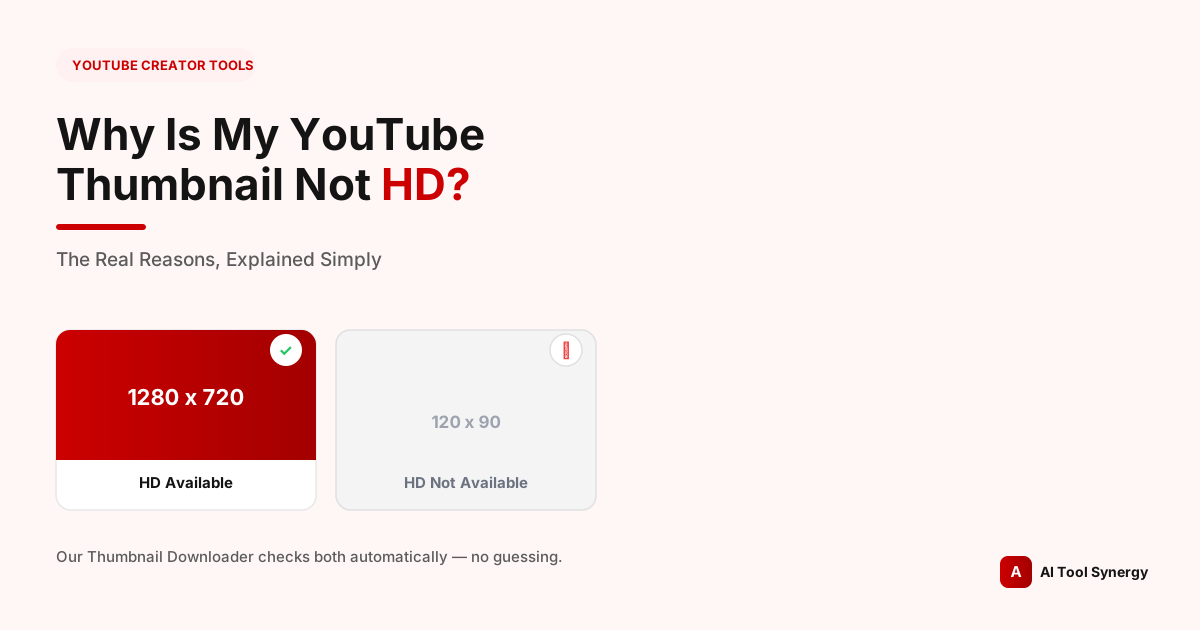
Why Is My YouTube Thumbnail Not HD? The Real Reasons Explained
If you’ve ever pasted a YouTube video into a thumbnail tool and seen “HD not available” or a broken image where the full-resolution version should be, you’ve run into one of the most common — and most misunderstood — quirks of how YouTube actually stores thumbnails. It looks like an error. It usually isn’t.
This happens often enough that we built automatic detection for it directly into our own YouTube Thumbnail Downloader — rather than showing you a broken image or a confusing 404, the tool checks whether the HD file genuinely exists before it ever shows it to you. This post walks through exactly why YouTube thumbnail not HD happens, how our tool detects it in real time, and what your actual options are when it does.
Why Is My YouTube Thumbnail Not HD?
In the large majority of cases, it comes down to one simple fact: YouTube only generates a true HD thumbnail (called maxresdefault, at 1280×720) for videos that meet certain conditions at upload time. If a video doesn’t meet them, YouTube simply never creates that file — there’s no HD version sitting somewhere waiting to be unlocked. The video still plays fine, and the smaller thumbnail sizes still work normally. It’s specifically the largest size that’s missing.
This is different from a broken link or a temporary glitch. If the HD file was never generated, requesting it will keep returning the same empty result indefinitely — refreshing, clearing your cache, or trying again later won’t change anything, because there’s genuinely nothing there to load.
What “HD Thumbnail” Actually Means on YouTube
Every YouTube video is stored with up to five thumbnail sizes, each with its own filename and dimensions:
| Filename | Dimensions | Commonly called |
|---|---|---|
| maxresdefault.jpg | 1280 × 720 | “HD” — the one people mean by HD |
| sddefault.jpg | 640 × 480 | Standard definition |
| hqdefault.jpg | 480 × 360 | High quality (not the same as HD) |
| mqdefault.jpg | 320 × 180 | Medium quality |
| default.jpg | 120 × 90 | Default / lowest quality |
This naming is a common source of confusion on its own — “hqdefault” sounds like it should mean HD, but it doesn’t. When people say a YouTube thumbnail is not HD, they specifically mean the maxresdefault file is missing, even though four smaller sizes are almost always still available. According to YouTube’s own Data API documentation, these sizes aren’t guaranteed to all exist for every video — the API explicitly notes that width and height may not be returned for a given size, confirming this is expected, documented platform behavior rather than a bug.
Reason 1: Your Video Wasn’t Uploaded in HD Resolution
This is the single most common cause. YouTube generates the maxresdefault thumbnail from the video file itself — if the source video was uploaded at a resolution below 1280×720 (for example, 480p or 360p), there’s no frame in the video sharp enough to produce a genuine 1280×720 still, so YouTube doesn’t generate one. YouTube’s own recommended upload encoding settings confirm the platform processes and stores multiple resolution variants based on your original upload quality — if your original upload never reached HD, none of the derived assets can either, thumbnails included.
This is also why re-encoding an already-uploaded video on your own computer and hoping it improves the thumbnail doesn’t work — what matters is the resolution of the file that was originally sent to YouTube’s servers, not anything you do to a local copy afterward.
Reason 2: The Video Predates YouTube’s HD Thumbnail Rollout
YouTube didn’t always generate maxresdefault thumbnails. Very old videos — generally those uploaded in the early-to-mid 2010s, before HD thumbnails became a standard part of YouTube’s processing pipeline — often only have the smaller sizes available, even if the original video itself was uploaded in reasonably high quality for its time. There’s no retroactive process that goes back and generates HD thumbnails for older content; whatever was generated at the time of upload is generally what remains.
Reason 3: YouTube Hasn’t Finished Processing Yet
For very recently uploaded videos, this can simply be a timing issue. YouTube generates thumbnail variants as part of its processing pipeline after a video is uploaded, and for brand-new uploads, the HD version can occasionally take a little longer to become available than the smaller sizes. If you’re checking a video that was uploaded in just the last few minutes, waiting and checking again shortly after is worth trying before assuming anything is actually wrong.
Reason 4: No Custom Thumbnail Was Ever Set
Custom thumbnails uploaded through YouTube Studio reliably get a full maxresdefault file, following the size guidance in YouTube’s official custom thumbnail help page. Auto-generated frames — the ones YouTube picks automatically when a creator never sets a custom one — don’t always get the same full HD treatment. If a video only ever displayed an auto-selected frame instead of a custom upload, that’s another common reason the largest size never got created. If a thumbnail is missing for a reason connected to a policy flag rather than simply never being set, that’s a related but different situation worth reading separately.
How Our Thumbnail Downloader Detects This Automatically
Manually checking whether maxresdefault exists is trickier than it sounds, because requesting a missing HD thumbnail doesn’t return a normal error. Instead, YouTube’s servers quietly return a small 120×90 gray placeholder image at the same URL — the request technically “succeeds,” but the image is useless. If you’re building thumbnail URLs by hand, this is genuinely easy to miss, since nothing about the response looks like a failure at first glance.
When you paste a video into our Thumbnail Downloader, it loads each of the five sizes and checks the real pixel dimensions that come back — not just whether the request succeeded.
If the returned image is exactly 120×90 where a larger size was expected, the tool recognizes that as the placeholder rather than a real thumbnail, and clearly labels that size as unavailable instead of handing you a useless gray square. You get a straight answer immediately — no manual URL-guessing, no wondering whether something’s broken on your end.
See Exactly What’s Available for Any Video
Paste a link and instantly see which of the 5 thumbnail sizes actually exist — including whether HD is one of them.
Check a Video FreeWhat To Do When HD Isn’t Available
If maxresdefault genuinely doesn’t exist for a video, your best fallback is sddefault (640×480) if it’s available, or hqdefault (480×360) otherwise — hqdefault in particular is available for nearly every public video on the platform, making it the most reliable fallback size for blog posts, presentations, or any use case where you need a preview image but the source video simply never had an HD thumbnail generated.
- Writing about a video? hqdefault is usually sharp enough for inline use in an article at a reasonable display size.
- Building a slide or presentation? sddefault holds up better at larger display sizes than hqdefault.
- Need it as large as possible regardless of source? An AI upscaler can add detail to a smaller thumbnail, though it’s generating plausible detail rather than recovering anything that was actually lost.
Can You Force YouTube to Generate an HD Thumbnail?
No — and it’s worth being direct about this rather than suggesting a workaround that doesn’t exist. There’s no setting, request, or third-party tool that can make YouTube generate a maxresdefault file for a video that doesn’t already have one. The only way to get an HD thumbnail going forward is uploading a new video at HD resolution or higher, or, for a video you personally own, uploading a custom thumbnail through YouTube Studio that meets YouTube’s own size guidance. Neither of those retroactively fixes an existing video’s missing HD thumbnail — they only apply to new uploads or a fresh custom thumbnail set from this point forward.
Check Any Video’s Real Thumbnail Sizes
Free, unlimited, and it tells you the truth about what’s actually available — no guessing.
Try the Thumbnail DownloaderDoes a Missing HD Thumbnail Affect Video Performance?
No — this is purely a display/embed-quality issue, not a ranking or recommendation signal. A video without a maxresdefault thumbnail can still perform exactly as well in search, suggested videos, and the algorithm generally; the smaller sizes are what YouTube actually displays across most of the platform’s own surfaces anyway. Where it does matter is external use — a blog post, a presentation, or any place where you’re pulling the image yourself and want the sharpest possible version. Smaller channels are sometimes more likely to run into this simply because Partner Program eligibility and overall channel activity correlate loosely with upload consistency and quality settings over time — not because YouTube treats smaller channels differently on purpose.
FAQ: Why Is My YouTube Thumbnail Not HD
Double-check the actual resolution the file was encoded at before upload, not just how it looks on your screen — a video that appears sharp locally can still have been exported below 1280×720. Also check how recently it was uploaded, since very new videos can briefly lack the HD variant while processing finishes.
No. A broken thumbnail usually means something failed during upload or processing. A missing HD size specifically means YouTube never generated that one file — every smaller size typically still works normally.
Despite the name, hqdefault is only 480×360 — it isn’t HD. True HD is maxresdefault at 1280×720. hqdefault is just the most reliably available size, which is why it’s the standard fallback when HD isn’t there.
No — there’s no request process or setting for this. The only path forward is uploading a new video at HD resolution or setting a new custom thumbnail; neither retroactively fixes the existing file.
Paste the video into our free YouTube Thumbnail Downloader — it checks all five sizes automatically and clearly labels which ones genuinely exist, so you’re not guessing or manually testing URLs.
No. It’s a display/embed issue only. It doesn’t affect how YouTube’s algorithm treats the video in search or recommendations.
That’s YouTube’s 120×90 placeholder response for a size that doesn’t exist. The request technically succeeds, which is why it doesn’t look like a normal broken-image error at first glance.
Yes, the same underlying resolution and processing logic applies to Shorts thumbnails as regular videos — a Shorts clip uploaded below HD resolution can be missing the same maxresdefault size.
The short version: a YouTube thumbnail not HD almost always comes down to the video’s original upload resolution, its age, or whether a custom thumbnail was ever set — not a bug, and not something you can force after the fact. The fastest way to know for certain, rather than guessing from a gray placeholder, is checking directly.
Check Any Video’s Thumbnails Free
Instant detection of every available size — no signup, no limits.
Use the Thumbnail Downloader