How QR Codes on YouTube Videos Increase Traffic
If you’ve noticed more brands and creators putting QR codes on packaging, posters, and even inside video overlays, it’s not a passing trend — it’s a direct response to a simple problem: every extra step between “I want to watch this” and actually watching it loses viewers. QR codes on YouTube videos increase traffic precisely because they remove that step entirely, turning a scan into an instant, frictionless jump straight to your content.
This guide breaks down exactly why QR codes on YouTube videos increase traffic, the real data behind that claim, where to place them for the best results, and how to generate one for your own channel in seconds using our free YouTube QR Code Generator.
Why QR Codes on YouTube Videos Increase Traffic
The core reason comes down to friction. Every additional action a viewer has to take — opening a browser, typing a channel name, scrolling through search results to find the right video — is a point where some percentage of interested people simply give up. A QR code collapses that entire multi-step process into a single phone-camera scan.
This matters most in offline-to-online conversion, where a viewer sees your content mentioned somewhere physical (a product box, a flyer, a conference badge, a business card) and has no direct digital pathway back to it without manually searching. QR codes on YouTube videos increase traffic specifically in these moments, because they bridge a physical touchpoint to a digital destination without requiring the viewer to remember a channel name or retype a URL correctly.
There’s also a psychological factor worth naming: intent decays quickly. A viewer who sees your channel mentioned on a product box is motivated in that exact moment. If they have to remember to search for it later, that motivation has usually faded by the time they get around to it — if they remember at all. A QR code captures that motivation instantly, while it’s still strong, which is a large part of why creators and marketers report measurable traffic gains after adding them to physical materials.
The Data Behind QR Codes and YouTube Traffic
This isn’t just a theoretical benefit. Industry data backs up the traffic impact:
How to Create a QR Code for a YouTube Video
Creating a working QR code takes under a minute:
- Copy the link to your YouTube video, channel, playlist, or Short
- Paste it into a QR code generator
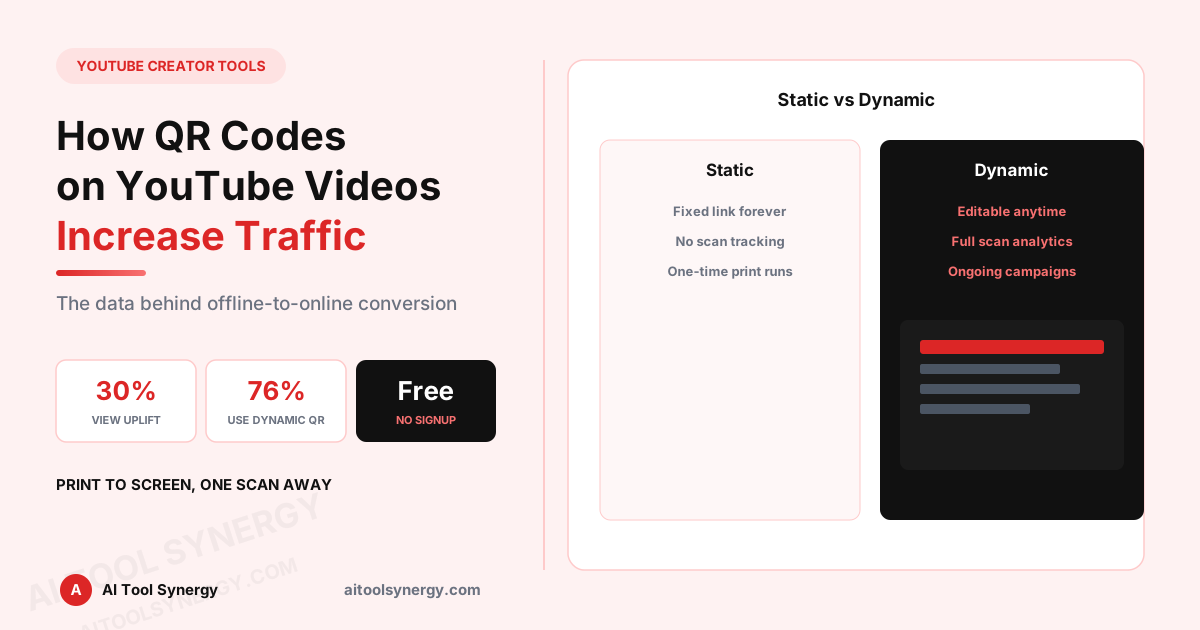
- Choose static (fixed link, cheaper/simpler) or dynamic (editable link, trackable scans)
- Download the QR code as an image and test it yourself before publishing anywhere
Our free YouTube QR Code Generator handles this entire process — paste any YouTube URL and get a downloadable, ready-to-use QR code image, no signup or design skills required.
Static vs Dynamic YouTube QR Codes: Which Increases Traffic More
Both formats work, but they behave differently once your QR code is already printed or published:
| Feature | Static QR Code | Dynamic QR Code |
|---|---|---|
| Destination link | Permanent — cannot be changed | Editable anytime without reprinting |
| Scan tracking | No analytics | Tracks scan count, location, device, time |
| Best for | One-time, low-cost print runs | Ongoing campaigns you want to measure and optimize |
| Cost | Usually free | Often free with limits, or a paid tier for full analytics |
If your goal is genuinely to measure whether QR codes on YouTube videos increase traffic for your specific channel, a dynamic QR code is the only format that actually gives you scan data to confirm it — a static code shows you nothing after it’s printed.
Where to Place QR Codes to Maximize YouTube Traffic
Placement matters as much as the QR code itself. The strongest-performing placements tend to share one trait: they appear at a natural pause point where someone already has their phone out and a moment of attention to spare.
- Product packaging — links directly to a tutorial, unboxing, or how-to-use video for that exact product
- Business cards and event badges — links to a portfolio reel, demo video, or channel trailer
- In-store displays and retail shelf talkers — links to a product walkthrough Short rather than a full channel
- Print ads, flyers, and brochures — links to a specific campaign video rather than a generic channel page
- Email signatures — links to an onboarding video, demo reel, or latest upload
- Classroom handouts or waiting room materials — links to an educational video relevant to that specific context
Notice the pattern: the best-performing placements link to a specific, contextually relevant video or Short — not just a generic channel homepage. A QR code that drops someone onto your channel page with no clear next step converts worse than one that takes them directly to the exact video that matches what they were just looking at.
This is a common mistake even experienced marketers make: generating one QR code for the entire channel and reusing it everywhere. In practice, generating a separate, purpose-built QR code for each placement — one for the product box linking to that product’s tutorial, another for the business card linking to a portfolio reel — consistently outperforms a single generic code, because the destination always matches viewer expectation. Our free YouTube QR Code Generator makes it just as fast to create a dozen purpose-specific codes as it is to create one.
How to Scan a YouTube QR Code
For your audience’s side of the process, scanning is simple across virtually every modern device — which is exactly why QR codes generated with the YouTube QR Code Generator work reliably regardless of what device someone uses to scan them:
On a phone (iPhone or Android)
Open the native camera app and point it at the QR code — no separate scanner app is needed on modern iOS or Android devices. A notification or on-screen link appears; tapping it opens YouTube directly.
On a TV
Some YouTube TV apps display an on-screen QR code specifically designed to be scanned with a phone camera, letting viewers sign in or jump to a linked video without using a remote to type. Point your phone’s camera at the screen the same way you would with any printed QR code.
On Android specifically
Most Android devices support QR scanning natively through Google Lens or directly within the camera app, without requiring a third-party scanner app to be installed.
Are QR Codes Allowed on YouTube Videos and in Ads?
Yes. There’s no YouTube policy prohibiting QR codes appearing within video content, thumbnails, or end screens, and QR codes are commonly used in YouTube ad creative as well — many advertisers include them specifically to drive traffic to a landing page, product, or additional video content. The QR code itself lives entirely outside YouTube’s platform mechanics; it’s just an image containing a link, so it’s treated the same as any other visual element in your video or ad creative.
Common Mistakes That Reduce QR Code Scan Rates
Measuring Whether Your QR Code Increased YouTube Traffic
To actually confirm QR codes increased traffic to your YouTube videos rather than assuming it, track these signals:
| Signal | Where to check it |
|---|---|
| Scan count | Dynamic QR code platform analytics |
| Traffic source spikes | YouTube Studio Analytics, Traffic Source tab |
| View timing correlation | Compare view timestamps against when/where the QR code went live |
| Geographic overlap | Compare scan location data against YouTube’s audience geography data |
Without a dynamic QR code, this correlation is largely guesswork — which is the main practical reason dynamic codes have become the default choice for anyone seriously trying to measure whether QR codes increased their YouTube traffic.
Generate Your YouTube QR Code Free
Paste any video, channel, or Shorts link and get a scannable QR code in seconds — no signup required.
Try the Free YouTube QR Code GeneratorQR Codes and YouTube Traffic: FAQ
Yes, particularly for offline-to-online conversion, since QR codes remove the friction of manually searching for or typing a channel name after seeing it on physical materials.
Copy your video, channel, or Shorts link and paste it into a QR code generator, choose static or dynamic, then download the image and test it before publishing.
Yes, there is no YouTube policy against including QR codes in video content, thumbnails, or end screens.
Yes, QR codes are commonly used in YouTube ad creative to drive traffic to a landing page, product, or additional video content.
Open your phone’s native camera app and point it at the code — modern iOS and Android devices detect and open the link automatically without a separate scanner app.
Point your phone’s camera at the QR code displayed on the TV screen the same way you would scan a printed code.
Use dynamic if you want to track scans or change the destination later. Use static only for simple, one-time, low-cost print runs where tracking isn’t needed.
Indirectly, yes — by driving more views and channel traffic through offline touchpoints, QR codes can contribute to overall channel growth, which supports ad revenue and sponsorship opportunities over time.
QR codes on YouTube videos increase traffic because they solve a real, specific problem: the gap between someone encountering your brand offline and actually finding your content online. Used with a clear, specific destination link and placed where viewers naturally have a moment to scan, they’re one of the simplest ways to convert physical visibility into measurable YouTube views.
Related Reading From Authoritative Sources
For further reference, see YouTube’s official Traffic Source Analytics documentation, Google’s YouTube branding guidelines, the ISO/IEC 18004 QR code technical standard, and web.dev’s guide to image optimization for print and digital use.
Explore More Free YouTube Creator Tools
Thumbnails, banners, embeds, channel stats and more — all free, no signup required.
Browse YouTube Creator ToolsRelated Articles
Explore our full free tools directory or visit the AI Tool Synergy homepage for more free SEO, AI, finance, and creator utilities.