

Artificial intelligence has moved from a buzzword to a genuine workplace necessity. In 2026, AI tools are transforming productivity across every industry — from solo freelancers in Karachi to enterprise teams in New York. The question is no longer whether to use AI tools, but which ones to use and how to get the most out of them.
This guide covers exactly how AI tools are changing the way we work, with real examples, current statistics, and practical advice you can apply today.
The Scale of the AI Productivity Revolution
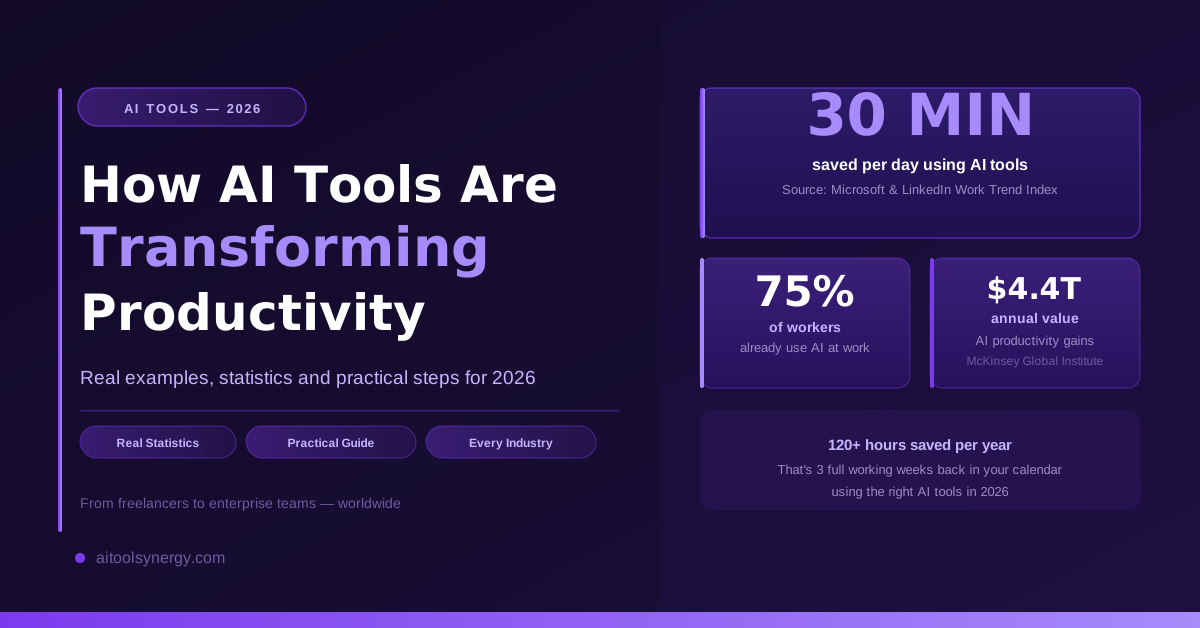
The numbers tell a clear story. According to a McKinsey Global Institute report, generative AI could add between $2.6 trillion and $4.4 trillion annually to the global economy — much of it through productivity gains. A Microsoft and LinkedIn Work Trend Index found that 75% of knowledge workers already use AI tools at work, and those who do report saving an average of 30 minutes per day on routine tasks.
That is 2.5 hours per week. Over a year, that adds up to more than 120 hours — three full working weeks — saved through AI tools alone.
📊 Key stat: The World Economic Forum’s Future of Jobs Report predicts AI will create 97 million new roles while displacing 85 million — a net positive, but only for those who adapt. Understanding how AI tools work is no longer optional for career growth.
How AI Tools Are Transforming Productivity — 7 Key Areas
1. Writing and Content Creation
Writing used to be one of the most time-consuming parts of any knowledge worker’s day — drafting emails, reports, proposals, social media posts, and marketing copy. AI writing tools have fundamentally changed this.
ChatGPT, Claude, and Gemini can draft a professional email in seconds, summarize a 50-page report in minutes, and generate a week’s worth of social media content in under an hour. Tools like Jasper and Copy.ai go further, offering templates specifically designed for marketing teams and content creators.
A study by Nielsen Norman Group found that professional writers using AI assistance completed writing tasks 59% faster than those working without AI — and the quality of output was rated higher by independent evaluators.
2. Task Automation and Workflow Management
Repetitive tasks are the biggest drain on productivity. Data entry, file organization, scheduling, sending follow-up emails, updating spreadsheets — these consume hours every week without adding meaningful value.
AI automation tools like Zapier, Make, and n8n connect your apps and automate workflows without any coding required. Notion AI and ClickUp AI take this further inside project management — automatically prioritizing tasks, summarizing meeting notes, and generating project timelines from a simple text description.
According to Salesforce research, employees who use AI automation tools spend 29% more time on strategic, high-value work and 27% less time on manual data entry.
3. Data Analysis and Business Intelligence
Making decisions used to require either expensive analysts or weeks of manual data crunching. AI tools have democratized data analysis — making it accessible to anyone regardless of their technical background.
ChatGPT’s Advanced Data Analysis allows you to upload a spreadsheet and ask questions in plain English. Google Looker Studio with AI features and Microsoft Power BI with Copilot are making business intelligence genuinely accessible to small businesses who previously could not afford dedicated analytics teams.
4. Communication and Meeting Productivity
Meetings are one of the biggest productivity drains in modern work. A Harvard Business Review study found that executives spend an average of 23 hours per week in meetings — much of it unproductive.
Otter.ai and Fireflies.ai automatically transcribe meetings and generate summaries with action items. Microsoft Copilot in Teams can join a meeting, take notes, and send a summary to everyone who couldn’t attend. Professionals using AI meeting tools report saving 5-10 hours per week on average.
5. Image, Video and Design Creation
Creative work used to require specialized skills and expensive software. Midjourney, DALL-E 3, and Adobe Firefly generate professional-quality images from text descriptions in seconds. Canva’s AI features — Magic Design, Magic Write, and Background Remover — have made professional graphic design accessible to non-designers.
For content creators, social media managers, and small business owners, these tools eliminate the need to outsource design work — saving both time and significant budget.
6. Customer Support and Service
AI chatbots and support tools have transformed customer service productivity. Intercom’s Fin AI, Zendesk AI, and Freshdesk’s Freddy AI can handle a significant proportion of customer queries automatically — resolving common questions instantly without human involvement.
According to Gartner, by 2026 AI will handle 20% of all customer service interactions — up from less than 2% in 2022.
7. Coding and Software Development
For developers, AI coding assistants have become indispensable. GitHub Copilot can write entire functions from a comment, suggest bug fixes, and explain unfamiliar code. A GitHub study found that developers using Copilot completed tasks 55% faster than those without it.
AI Productivity Tools — Quick Comparison Table
| Category | Best Free Tool | Best Paid Tool | Time Saved/Week |
|---|---|---|---|
| Writing | ChatGPT Free | Claude Pro | 3-5 hours |
| Automation | Zapier Free Tier | Make Pro | 5-8 hours |
| Design | Canva Free | Adobe Firefly | 3-6 hours |
| Meetings | Otter.ai Free | Fireflies Pro | 2-4 hours |
| Data Analysis | ChatGPT Free | Power BI + Copilot | 2-5 hours |
| Coding | GitHub Copilot Free | Copilot Enterprise | 5-10 hours |
| Customer Support | Tidio Free | Intercom Fin | 4-8 hours |
🛠️ Free Tools to Boost Your Productivity Right Now
While AI tools handle the big tasks, everyday productivity also depends on having the right utility tools at your fingertips. At AI Tool Synergy we have built a collection of free tools that professionals use daily:
- 💵 Salary to Hourly Calculator — Know your real hourly rate and overtime pay
- 🧾 Free Invoice Generator — Create professional invoices in seconds, no account needed
- 📈 Trendly — Keyword Trend Checker — See what keywords are trending using Google Trends data
- 🏦 UAE & KSA Gratuity Calculator — Calculate your end of service benefits instantly
- 🏠 Mortgage Calculator — Monthly payments for USA, UK, UAE, Canada and Australia
How to Get Started with AI Productivity Tools in 2026
- Start with one tool — don’t try to adopt ten AI tools at once. Pick the one that addresses your biggest time drain. If writing takes too long, start with ChatGPT. If repetitive tasks are killing your day, start with Zapier.
- Give it two weeks — AI tools have a learning curve. The first few days feel slow as you learn prompting and workflows. By week two, the time savings become very real.
- Measure your time — track how long key tasks take before and after adopting an AI tool. The data will motivate continued adoption.
- Stay updated — AI tools are evolving faster than any technology in history. A tool that was mediocre six months ago may be excellent today.
- Explore our AI tools directory — at AI Tool Synergy we curate and verify the best AI tools across every category.
❓ Frequently Asked Questions
Are AI productivity tools safe to use for sensitive business data?
Most reputable AI tools offer enterprise tiers with enhanced data privacy and security. For sensitive data, always check the tool’s privacy policy and avoid pasting confidential client information into consumer AI chatbots. Tools like ChatGPT Enterprise and Claude for Enterprise offer stronger data protection than free tiers.
Do AI tools replace human workers or just assist them?
The current evidence strongly suggests AI tools augment human productivity rather than replace workers outright. Workers who learn to use AI tools effectively are consistently outperforming those who don’t — making AI literacy a career advantage, not a threat.
Which AI productivity tool is best for beginners?
ChatGPT is the best starting point for most people. It’s free, works through a simple chat interface, requires no technical knowledge, and can assist with a huge range of tasks from writing to analysis to coding.
How much do AI productivity tools cost?
Many AI tools offer generous free tiers — ChatGPT free, Canva free, Zapier free tier, Otter.ai free. Paid plans typically range from $10-50 per month for individual users. For most professionals, the time saved far exceeds the subscription cost within the first week of use.
Can AI tools help with productivity if I am not tech-savvy?
Absolutely. Modern AI tools are designed for non-technical users. ChatGPT, Canva AI, and Notion AI all work through simple natural language — you describe what you want in plain English and the AI does the work. No coding or technical setup required.
Explore our full directory of verified AI tools at AI Tool Synergy — curated and updated regularly by Saad Khan and our team.