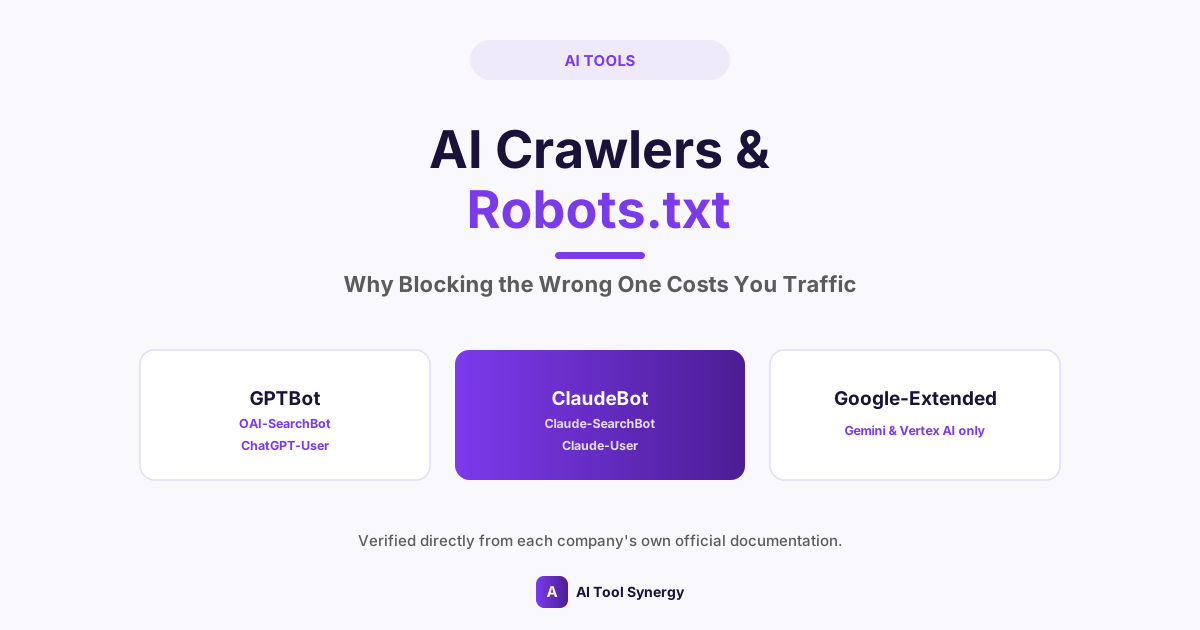
AI Crawlers Robots.txt Guide: Why Blocking the Wrong One Costs You Traffic
If your robots.txt has a single blanket rule blocking every AI-sounding user agent, it’s worth reconsidering — that approach made sense in 2023, but it no longer matches how AI crawlers actually work. This guide on AI crawlers robots.txt configuration walks through exactly what OpenAI, Anthropic, and Google’s crawlers each do, verified directly from their own official documentation, and how to configure your site to control training data without accidentally opting out of AI search visibility.
AI Crawlers Robots.txt: Why “Block Everything AI” No Longer Works
A basic understanding of AI crawlers robots.txt rules used to be simple: one company, one bot, one rule. That’s no longer true. OpenAI and Anthropic have both formally split what used to be a single crawler into three separate bots, each with its own job and its own robots.txt user-agent string. Treating “AI bot” as one category and blocking all of it with a single rule means you’re also blocking the bots that could be sending you traffic — not just the ones collecting training data.
The Three Jobs Every Major AI Crawler Now Splits Into
Both OpenAI and Anthropic organize their crawlers around the same three functions, even though the actual bot names differ:
- Training crawlers — collect content that may be used to train future model versions.
- Search/citation crawlers — index content specifically to cite and surface in AI-generated answers.
- User-triggered fetchers — retrieve a specific page in real time when a person directly asks the AI to look at it.
Blocking the first category has no effect on the second or third. That distinction is the entire point of this guide.
OpenAI’s Three Crawlers, Explained
Per OpenAI’s own official crawler documentation, ChatGPT accesses the web through three distinct, independently controllable bots.
| Bot | Purpose | If you block it |
|---|---|---|
GPTBot | Collects content for model training | Excluded from future training data only |
OAI-SearchBot | Indexes content for ChatGPT Search citations | Won’t be cited as a source in ChatGPT Search |
ChatGPT-User | Fetches a page live when a user asks ChatGPT to read it | ChatGPT can’t retrieve your page on request |
Build Your AI Crawlers Robots.txt File in Seconds
Generate a complete, correctly-formatted robots.txt with granular control over every major AI bot — free, no signup.
Try the Robots.txt GeneratorAnthropic’s Three Crawlers, Explained
Anthropic’s own official documentation confirms the identical three-way split for Claude. Per Anthropic’s official crawler support page, disabling each bot carries a specific, named consequence rather than one blanket effect.
| Bot | Purpose | If you block it |
|---|---|---|
ClaudeBot | Collects web content for AI model training | Excluded from future Claude training datasets |
Claude-SearchBot | Indexes content to improve Claude’s search results | Reduced visibility and accuracy in Claude search answers |
Claude-User | Fetches a page when a Claude user asks a direct question about it | Reduced visibility for user-directed queries |
Anthropic’s older Claude-Web and Anthropic-AI user agents are now deprecated in favor of this clearer three-bot structure — if your existing AI crawlers robots.txt file still references the old names, it’s worth updating to the current ones.
Where Google Fits: Google-Extended
Google takes a different approach with a single additional token rather than three separate bots. Per Google’s official crawling infrastructure documentation, Google-Extended controls whether your content contributes to Gemini Apps and Vertex AI’s generative models. Crucially, Google has explicitly confirmed that blocking Google-Extended has zero effect on standard Google Search rankings or indexing — the two systems are entirely separate, addressing one of the most common points of confusion in any AI crawlers robots.txt setup.
An Example AI Crawlers Robots.txt Configuration
Here’s what a deliberate, rather than blanket, configuration looks like — blocking training while allowing citation and user-retrieval bots:
This is only one possible configuration, not a universal recommendation — the right setup for your AI crawlers robots.txt file depends entirely on whether you want AI training exposure, AI answer citations, both, or neither.
Skip the Manual Syntax
Configure every major AI bot with a few clicks and download a ready-to-upload robots.txt file.
Generate Your Robots.txt FreeRobots.txt Is a Request, Not a Lock
This matters for expectations as much as configuration: an AI crawlers robots.txt file is the correct, standard way to communicate your preferences to well-behaved bots, but it isn’t a security control. If you need guaranteed enforcement against a specific bad actor, that requires firewall or server-level blocking, not robots.txt alone.
Common Mistakes When Writing Rules for AI Bots
Before publishing changes to your live file, it’s worth double-checking against the actual bot names above — our Robots.txt Generator keeps these current automatically, which avoids the most common version of this mistake entirely.
- Blocking only the training bot by name and assuming it covers everything — GPTBot and ClaudeBot rules do nothing to the separate search or user-fetch bots.
- Using outdated bot names — rules written for deprecated tokens like Claude-Web no longer match anything Anthropic actually operates.
- Assuming Google-Extended affects Search rankings — Google has explicitly stated it doesn’t.
- Never revisiting the file — this landscape has changed twice in the last year alone; a robots.txt written in 2023 is very likely outdated now.
How to Verify a Crawler Is Actually Who It Claims to Be
User-agent strings can be spoofed by anyone — a scraper can simply claim to be GPTBot in its request headers, and your server has no built-in way to tell the difference. Both OpenAI and Google publish official IP ranges specifically so site owners can verify a request is genuine before trusting it, typically by checking the request’s source IP against the published list or confirming a reverse-DNS lookup resolves back to the company’s own infrastructure. This matters most if you’re building any automated allow/block logic around your AI crawlers robots.txt rules, since user-agent matching alone can’t distinguish a real crawler from an impersonator. If you’d rather skip building this from scratch, our Robots.txt Generator handles the correct syntax for you either way.
Should You Block AI Crawlers at All?
There’s no universally correct answer — it depends on what you’re optimizing for. Blocking training bots protects your content from being used in future model versions but has no bearing on whether AI tools cite you today. Allowing search and citation bots can drive real referral traffic as AI-powered answers become a larger share of how people find content, similar to how allowing Googlebot enables organic search traffic in the first place. The mistake isn’t picking either option — it’s blocking all three categories at once without realizing citation and training are entirely separate decisions.
FAQ: AI Crawlers Robots.txt
That depends on your goals. Block GPTBot and ClaudeBot specifically if you want to opt out of AI training. Leave OAI-SearchBot, Claude-SearchBot, ChatGPT-User, and Claude-User allowed if you still want to appear in AI-generated answers and citations.
No. Each is a separate user agent per OpenAI’s own documentation, and each must be allowed or disallowed individually in robots.txt.
No. Google has explicitly confirmed Google-Extended only controls Gemini Apps and Vertex AI training data, with no effect on Google Search indexing or rankings.
No. Claude-Web is deprecated. Anthropic’s current documentation lists ClaudeBot, Claude-SearchBot, and Claude-User as the active, official crawlers.
Documented crawlers from OpenAI, Anthropic, and Google generally do, since it’s in their stated interest to maintain publisher trust. Robots.txt is still an honor system, though, with no technical enforcement mechanism against a bot that chooses to ignore it.
Yes. Block the training-specific bots (GPTBot, ClaudeBot) while allowing the search and citation bots (OAI-SearchBot, Claude-SearchBot) — these are independent settings, not linked.
More often than most site owners expect. Anthropic’s move from one crawler to three, and OpenAI’s earlier equivalent split, both happened within about a year of each other — a robots.txt file written even a year ago is worth reviewing again.
Our free Robots.txt Generator lets you configure every major search and AI bot individually and download a correctly formatted file, without needing to write the syntax by hand.
Getting an AI crawlers robots.txt file right in 2026 means treating training, search citation, and user-triggered retrieval as three separate decisions, not one. OpenAI, Anthropic, and Google all confirm this structure in their own official documentation — a single blanket rule almost certainly does something you didn’t intend.
Configure Your AI Crawlers Robots.txt File
Free, accurate, and covers every major bot — no signup required.
Use the Robots.txt Generator