Explore top AI Handwriting Generator tools in 2026. Convert typed text into realistic handwritten notes, customized scripts, and natural digital penmanship easily.
AI Handwriting Generator
An AI Handwriting Generator serves as a vital bridge between modern digital convenience and natural human touch. As communication has shifted almost entirely to digital screens, standardized computer fonts often lack personal warmth and visual engagement. Whether preparing academic study notes, personal letters, graphic design assets, or targeted marketing mailers, typed text can feel distant and mechanical. An AI Handwriting Generator solves this challenge by leveraging deep learning models to convert plain text into natural, human-like penmanship complete with realistic ink flow, subtle baseline variation, and dynamic letter connections.
Table of Contents
In 2026, generative artificial intelligence has moved far beyond basic cursive fonts. Modern neural engines analyze human biomechanics, simulating how an actual hand moves across physical paper. These platforms evaluate variable pen pressure, ink absorption into paper fibers, minor hand jitter, and context-dependent character shapes. By accessing curated software platforms such as AI Tool Synergy, digital creators and businesses can integrate these generation engines directly into their daily workflows to produce authentic handwritten documents effortlessly.
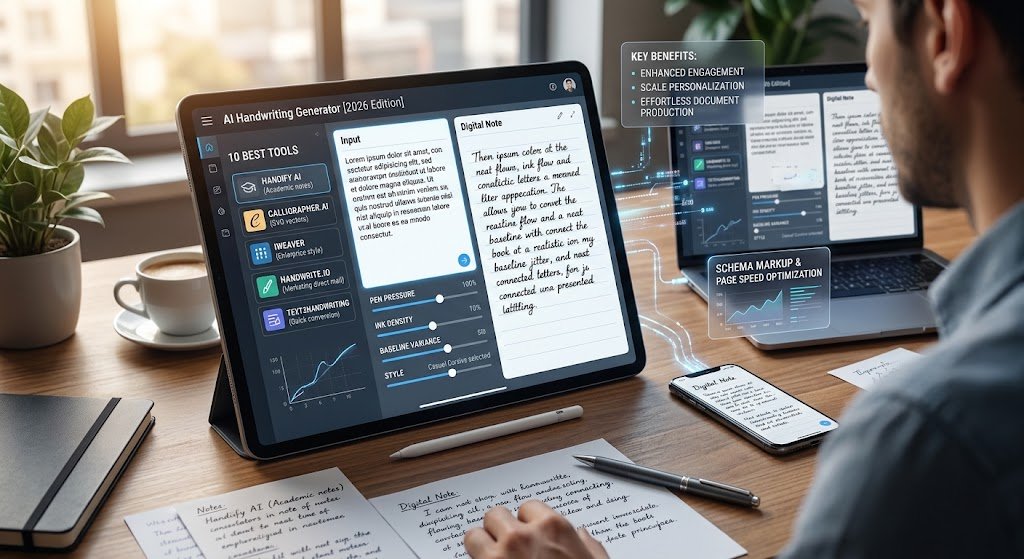
Figure 1: Digital workspace interface demonstrating real-time text conversion, custom penmanship selection, and page preview options.
1. The Rise of Synthetic Penmanship in 2026
Digital communication offers speed and scalability, but it frequently lacks emotional resonance. In response, individuals and organizations are embracing synthetic penmanship to stand out in crowded digital environments. A document rendered in natural handwriting catches attention, communicates warmth, and encourages higher reader retention compared to plain block text.
Early attempts at digital handwriting relied on standard TrueType fonts where every character was identical. When letters repeated in a sentence, the rigid symmetry revealed the document was computer-generated. Today, modern platforms employ Recurrent Neural Networks (RNNs) and generative frameworks that synthesize each letter on the fly based on surrounding text, yielding continuous, non-repeating stroke patterns that mirror true physical writing.
2. How an AI Handwriting Generator Replicates Human Mechanics
Replicating true human penmanship requires modeling physical variables that occur naturally when a person writes by hand. Rather than treating characters as static visual blocks, a top-tier AI Handwriting Generator treats penmanship as a continuous sequence of vector movements and pressure changes over time.
Human hands experience microscopic shifts in grip, muscle fatigue, and writing speed. These factors create subtle variations in line thickness, slant angle, and baseline alignment. Advanced neural engines introduce controlled baseline jitter and dynamic letter connections, ensuring that no two instances of a letter look identical across a page.
Furthermore, these systems simulate physical paper interaction. When ink touches paper, it absorbs into fibers, causing subtle micro-bleeds and density shifts. By overlaying realistic ink textures, pen tip pressure gradients, and organic page noise, modern engines produce output that looks completely natural whether viewed on a screen or printed on physical stationery.
3. 10 Best AI Handwriting Generator Tools for Perfect Writing in 2026
3.1 Handify AI
Handify AI stands as one of the most comprehensive platforms for transforming plain typed content into realistic handwritten pages. Tailored for students, researchers, and creative professionals, Handify AI converts Word documents, Google Docs, and raw text blocks into authentic penmanship within seconds. The system offers extensive controls for adjusting line height, page margins, stroke angles, and ink shading.
The platform excels at managing multi-page academic notes, project reports, and formal correspondence. Users can choose from a varied collection of handwriting styles—ranging from neat block print to elegant cursive—and export high-resolution, print-ready PDF files formatted over ruled notebook paper, graph grids, or blank sheets.
3.2 Calligrapher.ai
Calligrapher.ai is a fast, web-based utility powered by neural networks trained on human penmanship trajectory datasets. Instead of combining pre-rendered images, Calligrapher.ai constructs scalable SVG vector paths in real time based on user text inputs.
The platform provides simple sliders for controlling legibility, writing speed, stroke width, and stylistic randomness. Because outputs are rendered as independent vector paths, graphic artists and designers can easily import the generated files into design suites for custom editing and commercial publishing.
Figure 2: Real-time customization panel showing adjustments for baseline randomness, stroke pressure, ink colors, and notebook background styles.
3.3 iWeaver Handwriting Platform
The iWeaver Handwriting Platform offers an enterprise-grade document generation suite designed to streamline document workflows. Beyond robust OCR capabilities, iWeaver includes an advanced synthesis engine that converts digital text into personalized handwritten responses, formal notes, and documentation at scale.
iWeaver is particularly valuable for organizations requiring consistent visual identity across large document volumes. Businesses can upload handwriting samples from executives or team members to build custom synthesis profiles, ensuring automated customer correspondence matches a real signature and writing style.
3.4 Handwrite.io
Handwrite.io is built specifically for scaled business outreach, direct-mail marketing campaigns, and client engagement. The system integrates smoothly with popular CRM frameworks, allowing marketing teams to automatically generate personalized handwritten notes, envelopes, and promotional cards based on customer milestones.
Handwrite.io connects digital generation software directly to physical plotting equipment. Organizations can export digital image files or send campaigns to real-pen plotting machines that draw on physical paper using ballpoint, gel, or fountain pens, combining digital automation with tangible mail delivery.
3.5 Text2Handwriting
Text2Handwriting is an accessible web tool designed for rapid text conversion. Users simply paste their text into the editor, select a preferred handwriting style, choose an ink color such as royal blue or gel black, and preview the converted page immediately.
The platform includes several pre-built paper templates, including college-ruled notebook paper, legal pads, and clean printer paper. Adjustable controls allow users to modify font size, vertical line spacing, and margin offsets, making it a reliable solution for quick, everyday document formatting.
3.6 Toolki Text to Handwriting
Toolki offers a lightweight suite of digital utilities featuring an intuitive text-to-handwriting generator. The platform focuses on fast browser-side processing, rendering accurate handwritten previews instantly without relying on heavy server computations.
Toolki includes controls for adding paper background textures, subtle surface lighting, and minor letter alignment shifts. It is an excellent choice for creators who need to generate short handwritten quotes, social media graphics, or personal message cards quickly without signing up for an account.
3.7 ScriptKit Synthetic Ink
ScriptKit Synthetic Ink is designed for graphic designers, branding teams, and visual content creators who require precise control over ink texture and visual presentation. ScriptKit pairs neural stroke modeling with high-resolution texture layers, simulating fountain pen shading, metallic ink sheen, and marker absorption.
The software lets users adjust ink flow density, paper fiber absorption levels, and light reflection. By combining text modeling with detailed texture rendering, ScriptKit helps creators build striking visual assets for editorial projects, packaging designs, and digital media.
3.8 Sciweavers Handwriting Synthesizer
Sciweavers provides a straightforward online document utility that converts typed text into synthesized handwritten images. Built as part of a broader suite of academic web utilities, Sciweavers offers clean, basic controls for producing downloadable images in PNG, JPEG, or PDF formats.
While its visual interface is minimalist, Sciweavers delivers consistent, reliable conversions across various font styles and paper background settings. It remains a popular, accessible choice for researchers, academics, and students seeking straightforward text conversion.
3.9 InkToText Creator
InkToText Creator provides a flexible web studio designed for crafting aesthetic study materials, personal digital journals, and creative writing projects. The tool features an extensive library of handwriting styles, spanning casual everyday print, decorative script, and formal calligraphy.
Creators can import copy drafted on marketing platforms like Copy.ai Marketing Tools and format it into natural, handwritten pages instantly. InkToText Creator also lets users add subtle page wrinkles, binder hole punches, and scanner textures to give exported documents the authentic look of physical paper sheets.
3.10 MyScript Digital Pen Engine
MyScript is a long-standing leader in digital ink recognition and interactive penmanship technology. Its Digital Pen Engine delivers advanced vector ink modeling across tablet applications, desktop software, and web frameworks.
MyScript focuses on real-time vector processing, analyzing digital stroke trajectories and text inputs to produce clean, highly legible handwritten notes. Its underlying technology powers leading digital note-taking applications, delivering responsive, low-latency ink rendering across multiple operating systems.
4. Comparing the Top AI Handwriting Generation Tools
| Platform Name | Primary Target Audience | Rendering Output Type | Dynamic Line Variation | Custom Style Training | Primary Export Formats |
| Handify AI | Students & Educators | High-Resolution Page Renders | Included | Preset Selection | PDF, JPEG |
| Calligrapher.ai | Graphic Designers & Typographers | Real-Time Vector Paths | Included | Parameter Sliders | SVG |
| iWeaver Platform | Enterprise Operations | Contextual Document Synthesis | Included | Custom Sample Training | PDF, PNG, API |
| Handwrite.io | Marketers & Outreach Teams | Robotic Plotting & Digital | Included | Custom Handwriting Cloning | PNG, Physical Mail |
| Text2Handwriting | Students & General Users | Browser Document Image | Moderate | Preset Library | PNG, PDF |
| Toolki | Social Media Creators | Browser Canvas Render | Moderate | Preset Selection | PNG |
| ScriptKit | Designers & Branding Agencies | Layered Ink Texture Composition | Advanced | Parameter Customization | PNG, TIFF, SVG |
| Sciweavers | Researchers & Academics | Standard Document Image | Basic | Font Selection | PNG, PDF, JPEG |
| InkToText | Content Creators & Journalers | Scanned Aesthetic Pages | Advanced | Preset Selection | PDF, JPEG |
| MyScript Engine | App Developers & Mobile Users | Interactive Vector Engine | Advanced | Real-Time Vector API | Vector, Proprietary |
5. Key Advantages of Using Synthetic Handwriting in Modern Workflows
Integrating synthetic penmanship into regular document creation offers clear operational and communication advantages:
- Enhanced Engagement: Readers are far more likely to open, read, and remember a handwritten note than a standard printed email or typed document.
- Improved Efficiency: Preparing long handwritten documents manually causes physical fatigue and consumes hours of effort. Digital synthesis delivers identical visual appeal in seconds.
- Consistent Brand Identity: Businesses can establish a unified handwriting style across customer correspondence, maintaining personal warmth while operating at scale.
- Creative Versatility: Designers can experiment with diverse ink types, line densities, and paper textures without purchasing physical art supplies or specialized scanning equipment.
6. Step-by-Step Guide: Converting Typed Text into Handwritten Pages
Creating authentic handwritten documents from typed text is simple when following a clear, structured workflow:
- Prepare and Clean Your Text: Draft your content in plain text format, removing unusual symbols or formatting codes that could interfere with the generator’s character mapping.
- Select an Appropriate Engine and Style: Choose a tool from this guide that suits your project requirements. Select a handwriting style that reflects your desired tone, whether casual print, clean academic notes, or formal script.
- Calibrate Penmanship Parameters: Fine-tune line spacing, letter gap width, and margin offsets. Introduce modest baseline jitter and stroke variation to keep the text looking natural.
- Apply Paper Backgrounds and Ink Color: Choose a paper background—such as college-ruled paper, graph grid, or textured parchment—and match it with realistic ink colors like royal blue or midnight black.
- Export High-Resolution Files: Export your finalized document as a high-resolution vector PDF or SVG file to preserve sharp stroke details and clear ink gradients when printed or shared digitally.
7. SEO Best Practices for FinTech and SaaS Web Applications
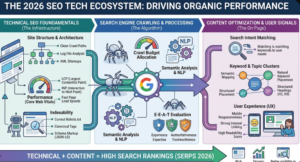
For developers and digital business owners launching web utilities or calculation tools, applying solid technical search engine optimization practices—such as those monitored by Rank Math—helps ensure strong organic search visibility on Google.
+-----------------------------------------------------------------------+
|                    RANK MATH SEO CHECKLIST MATRIX                     |
+-----------------------------------------------------------------------+
|  1. Exact Focus Keyword in Title, Heading (H1/H2), & Meta Desc        |
|  2. Focus Keyword in First 100 Words of Article Prose                 |
|  3. Exact Meta Limits: Title 56-60 Chars | Meta Desc 155-160 Chars   |
|  4. High Content Depth & Comprehensive Industry Analysis              |
|  5. WebApplication Schema Markup Integration                          |
+-----------------------------------------------------------------------+
Strategic Keyword Density and Placement
Integrate your focus keyphrase AI Handwriting Generator naturally throughout your page content:
- Place the exact keyphrase near the beginning of your main title and H1 headline.
- Ensure the keyphrase appears within the opening 100 words of introductory content.
- Include the keyphrase within major section H2 subheadings.
- Maintain a balanced keyword density between 1.0% and 1.5% across your text, focusing on clear, high-quality phrasing.
Schema Markup and Page Speed
Implement WebApplication structured data schema on your tool pages so search engine crawlers can recognize your interactive utility easily. Furthermore, optimize browser-side rendering code so previews generate quickly, providing a fast, satisfying experience for web visitors.
8. Frequently Asked Questions
Can an AI Handwriting Generator replicate my personal handwriting?
Yes, several advanced platforms—including iWeaver and Handwrite.io—allow users to upload sample sheets of their own writing. The system trains a neural model on those sample strokes to replicate the user’s personal penmanship accurately.
Are synthetic handwritten documents easy to detect?
High-quality engines using neural stroke generation, baseline jitter, and ink absorption produce pages that look nearly identical to physical penmanship. Basic tools using simple static fonts are easier to spot because repeating characters look completely identical.
What are the best file formats for printing generated handwriting?
PDF and SVG are the ideal file formats for physical printing. Vector formats scale cleanly without pixelation, keeping line edges crisp and ink density gradients clear when printed on physical stationery.
9. Conclusion: The Future of Personal Digital Communication
Using an AI Handwriting Generator provides a practical way to combine digital speed with authentic human warmth. By simulating natural stroke mechanics, baseline shifts, character variation, and paper absorption, modern platforms allow users to generate beautiful handwritten documents in seconds.
Whether formatting academic study notes, building direct-mail marketing campaigns, or creating unique design assets, synthetic penmanship tools offer a versatile solution for modern creators. Exploring available platforms on directories like AI Tool Synergy makes it easy to select the right software, helping you bring a personal touch back to your digital communication.