YouTube Thumbnail Downloader
Paste any YouTube video, Shorts, or livestream link and grab every available thumbnail resolution in seconds — full HD, no signup, no watermark.
Works with youtube.com/watch links, youtu.be short links, Shorts, embed links, live links, or a plain 11-character video ID.
Auto-generated preview frames
Free YouTube Thumbnail Downloader — Save Any Thumbnail in HD, No Signup
A YouTube thumbnail downloader is the fastest way to grab the preview image of any public YouTube video, Short, or livestream without touching a design tool or a screenshot. Paste a link into the YouTube thumbnail downloader above and it instantly pulls every resolution YouTube actually generated for that video — from a full 1280×720 HD image down to the tiny 120×90 preview used in search suggestions. These are the same sizes YouTube itself generates when a creator uploads a custom thumbnail in YouTube Studio.
Most tools online call themselves a free YouTube thumbnail downloader but quietly cap how many times you can use them, force an account, or stamp a watermark across the image. This one doesn't. There's no signup, no daily limit, and nothing added to the file — every download is the exact image YouTube's own servers already store for that video. If you're building out a content workflow, pair it with our Meta Tag Generator when you republish a thumbnail-adjacent story on your own site.
Whether you're a creator studying competitor thumbnails, a blogger embedding a preview image in a roundup post, or someone who just wants to save a favorite video's cover art, this YouTube thumbnail downloader gets you the highest-quality version YouTube has on file, in seconds.
How to Use This YouTube Thumbnail Downloader
Using this YouTube thumbnail downloader takes under ten seconds — no account, no install, no waiting. Here's exactly what happens at each step.
Copy the video link
Tap Share → Copy Link on any YouTube video, Short, or livestream. A plain 11-character video ID also works if that's what you have.
Paste it into the tool
Drop the link into the input field above and click "Get Thumbnails." The downloader reads the video ID out of almost any YouTube link format automatically.
Review what's available
Every resolution YouTube generated for that specific video appears in a grid, each labeled with its real pixel dimensions — and anything that isn't available is clearly marked, not just missing.
Download or copy the link
Click Download to save the image straight to your device, or Copy Link to grab the direct URL for use in a CMS, a design tool, or a spreadsheet.
See the YouTube Thumbnail Downloader in Action
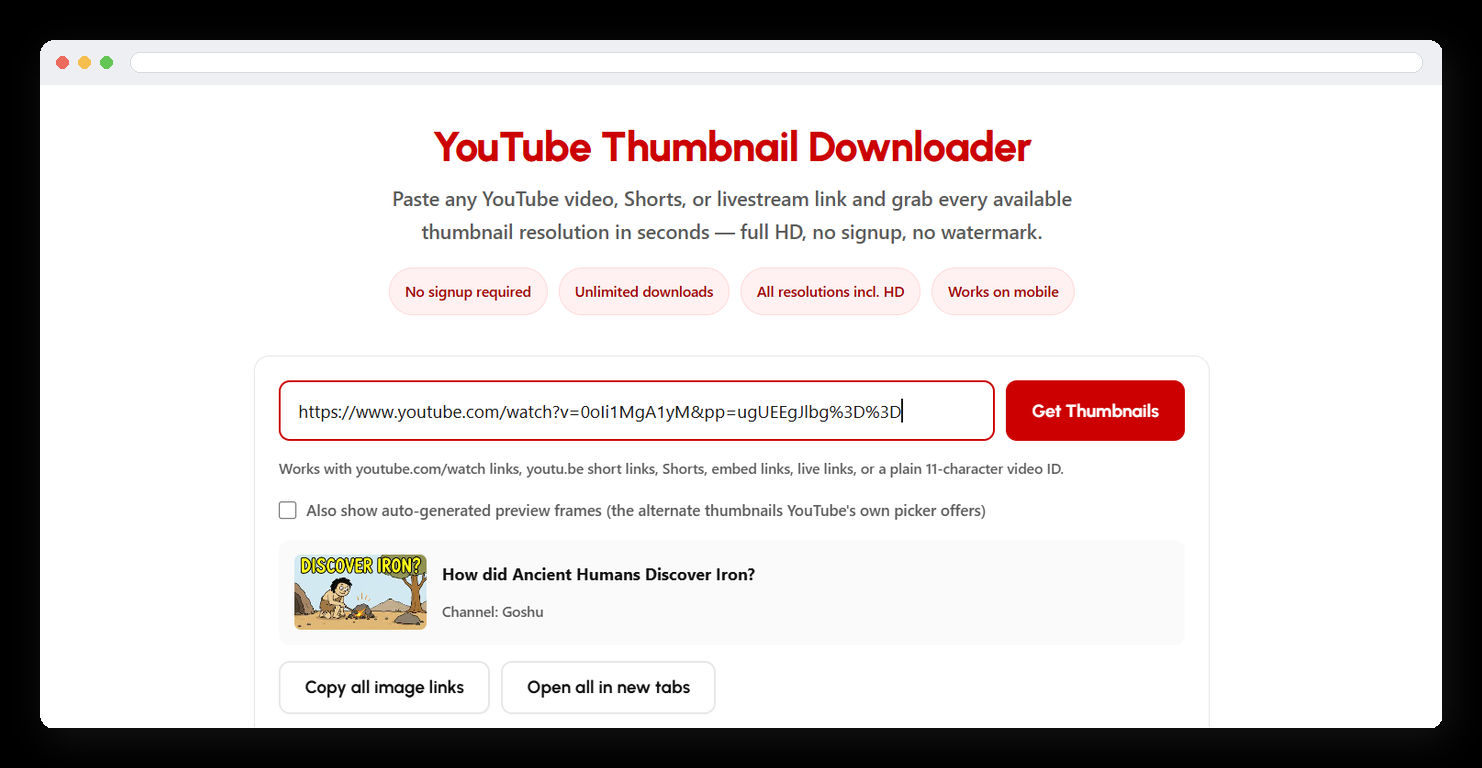
Here's exactly what you'll see the moment you land on the page. Paste any YouTube link into the input field, and the tool automatically detects the video — pulling its real title and channel name for a quick confirmation before you even click download.
No extra steps, no popups, no account screen standing between you and the image.
Who Actually Needs a YouTube Thumbnail Downloader?
A good YouTube thumbnail downloader quietly saves a lot of small, recurring work across a few very different jobs. Here's who reaches for one most.
Creators & Editors
Study what's working in a niche by pulling competitor thumbnails at full resolution — far easier to judge composition and text placement than a compressed browser preview. Just remember any thumbnail you upload yourself still has to follow YouTube's own Community Guidelines.
Bloggers & Publishers
Embed a video's real cover image in a roundup post, newsletter, or "best of" article without a screenshot's compression artifacts or awkward crop.
Marketers & Agencies
Pull thumbnails into a client report or a competitive audit deck in seconds — no design software required for a task this small.
Researchers & Archivists
Keep a reference copy of a video's cover art for citation, media literacy work, or personal archiving before a video is edited or removed.
What Makes This YouTube Thumbnail Downloader Different
This YouTube thumbnail downloader doesn't scrape, screenshot, or re-compress anything. It builds a direct request to YouTube's own image servers for each known thumbnail size — the same set of sizes documented in YouTube's own Data API reference — checks whether that size actually exists for your video, and hands you the real file. Here's what's happening behind the scenes.
Instant, direct lookup
Your link is parsed client-side and matched straight to YouTube's image CDN — no waiting on a queue or a third-party server in between.
Smart HD detection
Not every video has a true 1280×720 maxresdefault image. This tool actually checks and tells you when HD isn't available instead of handing you a broken link.
Every standard size
All five official resolutions in one pass — HD, standard definition, high, medium, and default quality — with real dimensions shown for each.
Bonus preview frames
Optionally reveal the alternate auto-generated frames YouTube's own thumbnail picker offers creators — including ones that were never selected.
No watermark, ever
What you download is the unmodified file YouTube itself serves — nothing overlaid, nothing cropped, nothing re-encoded.
Nothing stored
No video, link, or image is logged or saved anywhere. Each request goes straight from your browser to YouTube's servers.
YouTube Thumbnail Resolution Guide
| Size name | Dimensions | Typical use | Always available? |
|---|---|---|---|
| maxresdefault | 1280 × 720 | Blog posts, social sharing, print-quality use | Only if uploaded in HD |
| sddefault | 640 × 480 | Standard-definition previews, older embeds | Usually |
| hqdefault | 480 × 360 | The thumbnail YouTube shows most often site-wide | Yes, virtually always |
| mqdefault | 320 × 180 | Mobile lists, compact video grids | Yes |
| default | 120 × 90 | Search suggestions, tiny embeds | Yes |
Real Results, Every Resolution Labeled
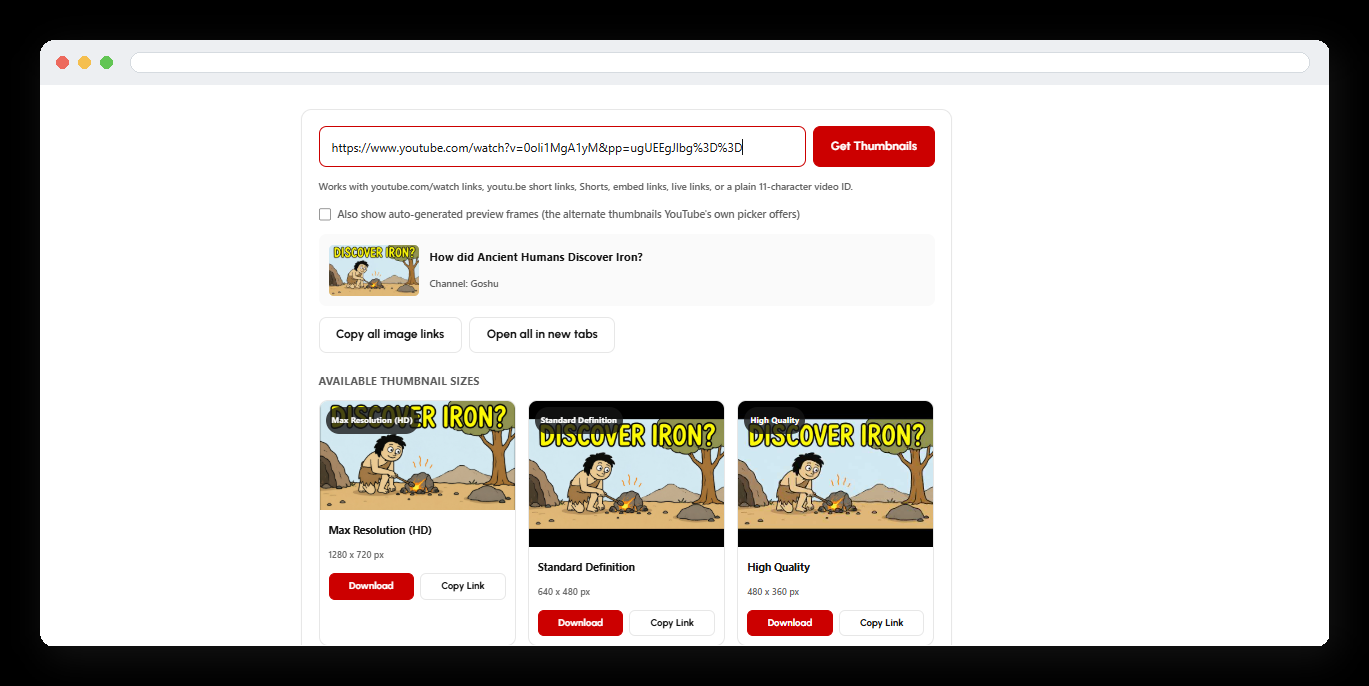
This is exactly what a completed lookup looks like — every resolution YouTube generated for that video, laid out with its real pixel dimensions, a one-click Download button, and a Copy Link option for grabbing the direct URL instead.
- Max Resolution (HD) — 1280 × 720
- Standard Definition — 640 × 480
- High Quality — 480 × 360
More Free Tools on AI Tool Synergy
YouTube Thumbnail Downloader — Frequently Asked Questions
Read Full Guides on YouTube Thumbnails
Want to learn more about YouTube thumbnails? Explore these detailed guides covering thumbnail size, competitor research, HD quality, image issues, and blurry thumbnail text.