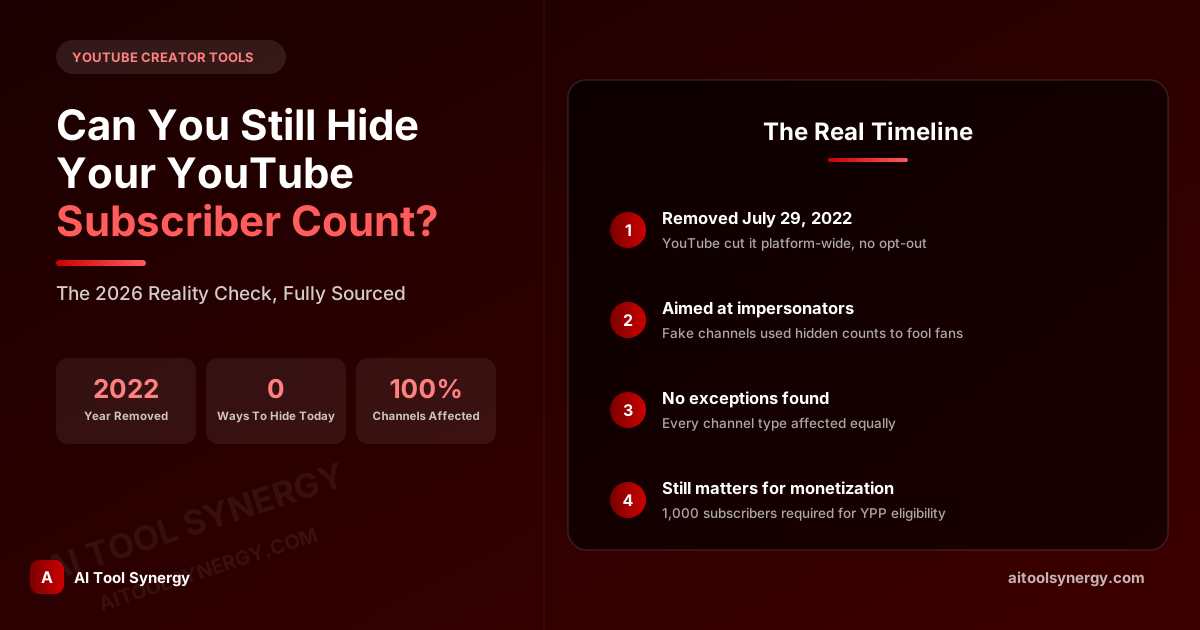
Can You Still Hide Your YouTube Subscriber Count in 2026?
If you’ve gone looking for a way to hide your YouTube subscriber count and can’t find the setting anywhere in YouTube Studio, you’re not doing anything wrong — the option genuinely isn’t there anymore. It’s a fair question to ask, though, because plenty of articles and forum threads still floating around the internet describe it as if it’s a normal, current setting. It isn’t, and hasn’t been for a few years now.
This page exists to give you a straight, sourced answer: what actually happened to the ability to hide your YouTube subscriber count, why YouTube made the change, whether any channel anywhere still has it, and what your actual options are if you’d still rather people not see your number.
Can You Still Hide Your YouTube Subscriber Count in 2026?
No. As of 2026, there is no setting, workaround, or third-party trick that lets a YouTube channel hide its subscriber count from public view. This applies to every channel on the platform, regardless of size, age, or verification status. If your subscriber count is showing on your channel page right now, that’s simply how every channel currently works — not a bug, and not something specific to your account.
It’s worth being direct about this up front, because a genuinely large number of pages online — some written well after the change happened — still walk through “how to hide your subscriber count” as a live, working feature. That’s outdated information being recycled, not a real option you’re missing.
What Happened to the Hide Subscriber Count Option?
Prior to mid-2022, YouTube did let creators toggle their subscriber count to private, so only they could see the real number in YouTube Studio while the public saw nothing. This had been a standard channel setting for years. On July 29, 2022, YouTube removed it platform-wide, and every channel that had previously hidden its count had that number made public again, whether the creator wanted it public or not.
The change was reported by multiple outlets at the time, including TechCrunch and Social Media Today, both of whom covered YouTube’s own announcement ahead of the rollout.
Why Did YouTube Remove the Ability to Hide Subscriber Count?
YouTube’s stated reason was impersonation, not creator privacy. Scammers were creating lookalike channels of popular creators to trick viewers in the comments section, and a hidden subscriber count made it easier for a fake channel to pass as the real one, since viewers couldn’t compare subscriber numbers to spot the impostor. Search Engine Journal’s coverage of the announcement confirms this was framed specifically as an anti-impersonation and anti-spam measure, rolled out alongside a stricter comment moderation setting at the same time.
In other words, this wasn’t a change aimed at creators who wanted to hide their subscriber count for personal or branding reasons — it was a side effect of YouTube closing a door that bad actors were actively using.
Is There Any Legitimate Way to Hide Your YouTube Subscriber Count Today?
No official one. There’s no setting in YouTube Studio, no channel-level privacy toggle, and no verified-creator exception. If you come across a tutorial, browser extension, or “trick” claiming to let you hide your YouTube subscriber count in 2026, treat it with real skepticism — at best it’s outdated advice describing a setting that no longer exists, and at worst it’s asking for account access it has no legitimate reason to need.
The only genuinely reliable way to keep a number private on YouTube is simply not to have a public channel with subscribers in the first place — which obviously defeats the purpose for anyone actually trying to grow one.
Curious What a Channel’s Real Numbers Actually Are?
Look up any public channel’s real subscriber count, views, and video count — straight from YouTube’s own data, no login required.
Check Channel Stats FreeWhat You’ll See Instead of a Hidden Subscriber Count
Every public channel now shows a real subscriber number under its name, though YouTube still rounds larger numbers for display purposes (for example, showing “1.2M” instead of an exact figure). That rounding is a display convenience, not a privacy feature — the underlying number is still fully public and still retrievable through YouTube’s own public data, including through the API that tools like our own Channel & Video Stats Checker use to pull real numbers for any channel.
Are There Any Exceptions to This Rule?
Based on everything YouTube has published and every independent report since 2022, no — there don’t appear to be any exceptions. Verified channels, YouTube Partner Program members, and legacy accounts that had subscriber counts hidden before the change was announced were all affected equally. No source we could find, official or independent, documents any channel type that was excluded or grandfathered in.
If you’re seeing a channel where the subscriber count genuinely doesn’t appear, the far more likely explanation is a very new channel with zero subscribers displaying nothing meaningful yet, or a temporary display glitch — not a hidden-count exception.
Common Myths About How to Hide Your YouTube Subscriber Count
Since so much outdated content is still circulating, here are the most common myths worth clearing up directly:
- “There’s a setting buried in YouTube Studio.” There isn’t. This gets repeated a lot, but no current version of Studio has a subscriber-visibility toggle.
- “Verified channels can still hide it.” No — verification status has no bearing on this at all.
- “A browser extension can hide it from your own view.” Some extensions can change what you personally see in your own browser, but that does nothing for what other visitors see on your channel — it’s a purely cosmetic, local trick, not a real privacy setting.
- “It only affects new channels.” It affected every existing channel retroactively in 2022, not just channels created afterward.
Why a Rounded Number Gets Mistaken for a Hidden Subscriber Count
A common source of confusion: YouTube displays large subscriber counts in a rounded, abbreviated format rather than an exact number. Someone unfamiliar with this might assume a channel showing “45K” instead of an exact figure like 45,238 is deliberately obscuring its real count. It isn’t — that’s just YouTube’s standard display formatting applied to every channel above a certain size, and the exact number is still publicly retrievable.
How to Check Any Channel’s Real Subscriber Count Yourself
Since hiding a subscriber count isn’t possible anymore, checking one is straightforward — every channel’s number is sitting right there publicly. If you want the exact figure rather than YouTube’s rounded display version, a lookup tool pulling directly from YouTube’s own public data will give you the real number rather than an abbreviated estimate.
Get the Exact Number, Not the Rounded One
Paste any channel URL, @handle, or channel ID and get real subscriber, view, and video counts in seconds.
Try the Free Stats CheckerDoes Hiding Your Subscriber Count Even Matter Anymore?
For most creators, probably less than it might seem. Subscriber count is only one signal among many that viewers use to judge a channel, and it’s not something you can control the visibility of anymore regardless of how you feel about it. It’s also worth remembering that subscriber count still plays a real functional role beyond just public perception — it’s a hard requirement for YouTube Partner Program eligibility, where reaching 1,000 subscribers (alongside watch-hour or Shorts-view thresholds) is one of the baseline requirements for full monetization. That’s a good reason the number stays public and prominent — YouTube’s whole creator ecosystem is partly built around it being visible and verifiable, not hidden.
FAQ: Hiding Your YouTube Subscriber Count
No. YouTube removed this option for every channel on July 29, 2022, and there is currently no official setting, workaround, or exception that brings it back.
YouTube said the change was meant to reduce channel impersonation and spam, since a hidden subscriber count made it easier for fake channels to convincingly pose as popular real ones in the comments section.
Yes. The change was retroactive — every channel that previously had its subscriber count hidden had that number made public again once the update rolled out, with no opt-out.
No documented exceptions exist. Verified channels and YouTube Partner Program members are subject to the same public subscriber count as every other channel.
Some extensions can visually hide numbers in your own browser, but that only changes what you personally see — it has no effect on what other visitors see when they view the channel.
That’s just YouTube’s standard display formatting for larger numbers, not a privacy feature. The exact subscriber count is still fully public and retrievable.
A lookup tool that pulls directly from YouTube’s public data, like our free Channel & Video Stats Checker, will show the real number rather than YouTube’s abbreviated display format.
Yes — subscriber count remains a real requirement for YouTube Partner Program monetization eligibility, alongside watch-hour or Shorts-view thresholds, so it stays functionally relevant regardless of visibility preferences.
The short version, once you strip away the outdated guides: nobody can hide their YouTube subscriber count anymore, the change was made for anti-impersonation reasons rather than to take something away from creators specifically, and it applied to every channel with no exceptions. If a page tells you otherwise, it’s simply out of date.
Look Up Any Channel’s Real Stats
Free, unlimited, and pulled straight from YouTube’s own public data — no signup required.
Use the Stats Checker